






ManyChat
Reply to your comments and messages on Instagram, even while you sleep.What is ManyChat?
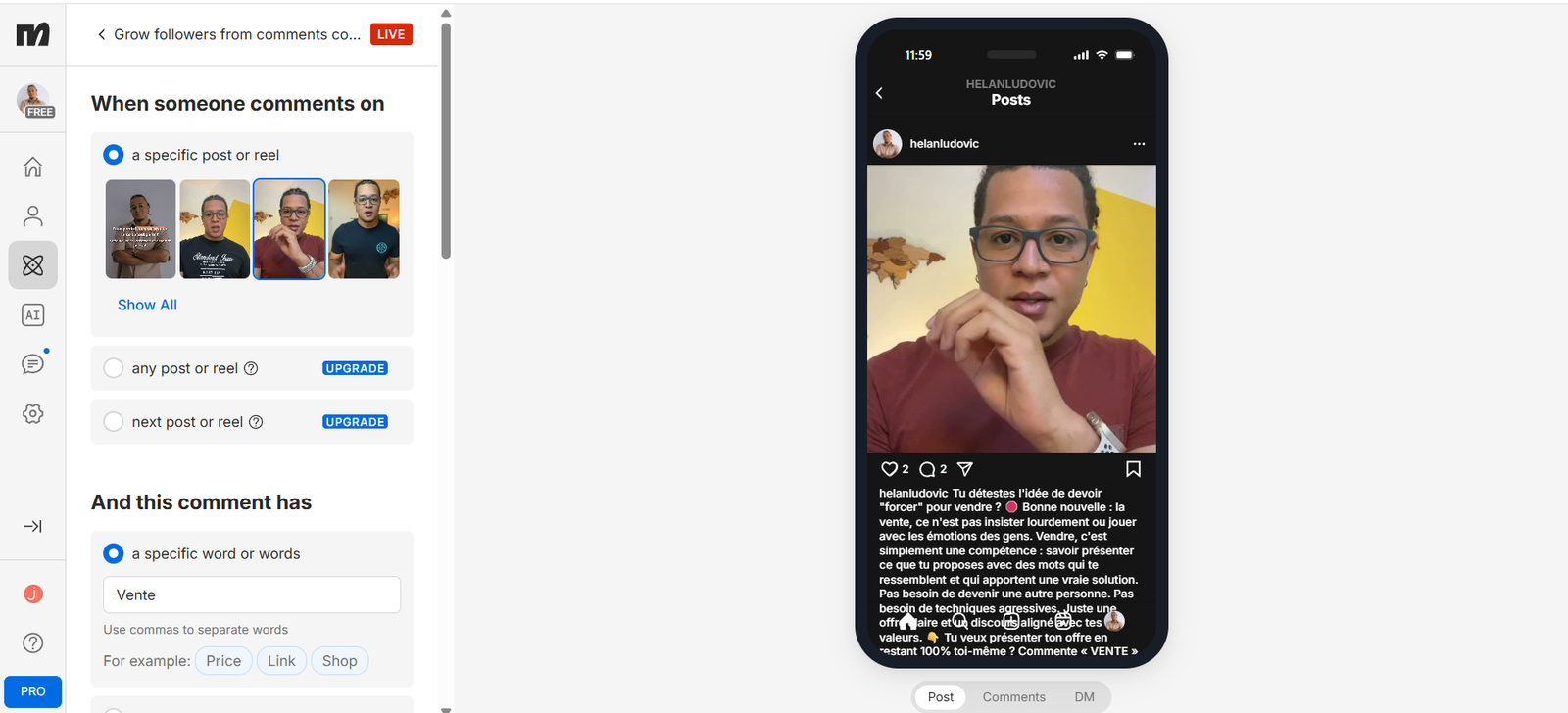
ManyChat is an automation tool for Instagram. You set a simple rule: “when someone comments this word under this post, they get this private message”. ManyChat sends it by itself, at any hour.
For a creator, it's very useful when you offer a guide, a link or an offer: instead of replying to every comment, you let the tool send the link. You stay in touch with each person, and you can then send the rest of the conversation.
You can start for free with 25 active contacts. On the free plan, you pick one specific post or reel. To run the rule on all your posts, you need a paid plan. You can start small and test with a single piece of content.
What it looks like
How to set up ManyChat
Pick the assistant you already use. You connect it to ManyChat, copy the prompt, and it builds your workspace with you.
I'm a content creator and I want to automate replies to my Instagram comments with ManyChat.

Before writing anything, ask me one question at a time: what I'm offering (a guide, a link, an offer), the word my followers will comment, and my tone.

Then write me: 1) the keyword to use, 2) a short, warm first private message with the link or resource, 3) a second message to follow up if the person doesn't reply, 4) a short public reply to leave under the comment. Keep sentences simple, with no exaggerated promises. Also give me 3 tests to run before turning the automation on.
I'm a content creator and I want to automate replies to my Instagram comments with ManyChat.

Before writing anything, ask me one question at a time: what I'm offering (a guide, a link, an offer), the word my followers will comment, and my tone.

Then write me: 1) the keyword to use, 2) a short, warm first private message with the link or resource, 3) a second message to follow up if the person doesn't reply, 4) a short public reply to leave under the comment. Keep sentences simple, with no exaggerated promises. Also give me 3 tests to run before turning the automation on.
What it changes in your daily life
ManyChat replies for you, at the right moment. Someone comments on your post, gets their private message within seconds, and you keep creating.
Fewer repetitive replies, more conversations that lead to a sale.
I use ManyChat to automatically send a resource when someone comments a specific word under one of my reels. It saves me from replying comment by comment. My advice: start with a single post, test with a second account, and keep the message short and simple.